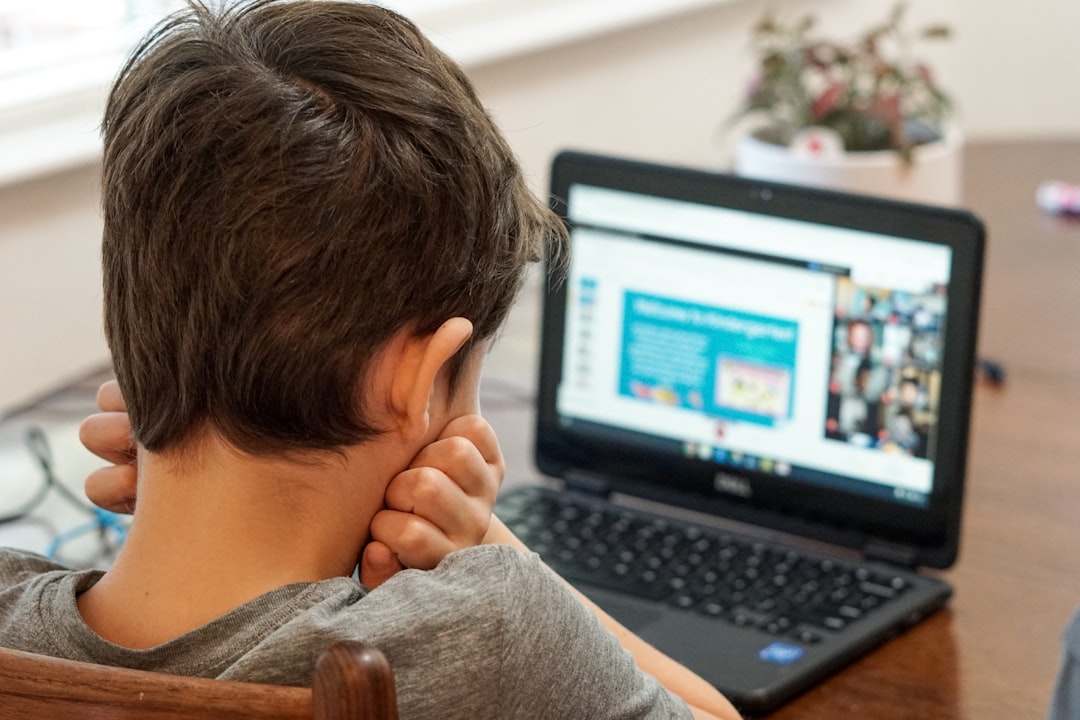
Phishing attacks remain one of the most prevalent and effective cybersecurity threats facing families today. These deceptive tactics trick unsuspecting users into revealing sensitive information, clicking malicious links, or downloading harmful software. Understanding how to recognize and prevent phishing attempts is essential for protecting your family's digital security and personal information.
What Is Phishing?
Phishing is a form of cyberattack where criminals impersonate legitimate organizations or individuals to deceive victims into providing sensitive information. The term "phishing" comes from the idea of "fishing" for information – attackers cast out bait (fraudulent messages) hoping someone will bite.
These attacks typically arrive via email, but they can also occur through text messages (smishing), phone calls (vishing), or social media messages. The goal is always the same: to trick you into revealing passwords, credit card numbers, social security numbers, or other valuable information that can be exploited for financial gain or identity theft.
What makes phishing particularly dangerous is its psychological manipulation. Attackers create a sense of urgency, fear, or excitement to bypass your rational thinking. They might claim your account has been compromised, you've won a prize, or immediate action is required to prevent negative consequences. These emotional triggers make even cautious individuals vulnerable to deception.
Common Types of Phishing Attacks
Understanding the different varieties of phishing attacks helps you recognize them more quickly. Email phishing is the most common type, where attackers send mass emails disguised as legitimate communications from banks, online retailers, government agencies, or other trusted entities.
Spear phishing is more targeted and personalized. Attackers research specific individuals or organizations to craft convincing messages that reference real people, projects, or situations. These attacks are significantly more dangerous because they appear highly legitimate and relevant to the recipient.
Whaling attacks target high-value individuals like executives or department heads. These sophisticated scams often impersonate senior leadership or business partners to authorize fraudulent transactions or request sensitive company information.
Clone phishing involves creating nearly identical copies of legitimate emails you've previously received, but with malicious links or attachments substituted for the original content. Since you've seen similar messages before, these clones can be particularly deceptive.
Red Flags in Suspicious Emails
Learning to identify warning signs in emails is your first line of defense against phishing. Examine the sender's email address carefully – phishing emails often use addresses that look similar to legitimate ones but contain slight variations, misspellings, or unusual domain extensions.
Poor grammar, spelling errors, and awkward phrasing are common indicators of phishing attempts. While legitimate organizations occasionally make mistakes, frequent errors suggest the message wasn't created by professional communicators. Be especially suspicious of emails that seem rushed or unprofessional.
Generic greetings like "Dear Customer" or "Valued Member" instead of your actual name can indicate mass phishing campaigns. Legitimate organizations typically personalize their communications using your real name and account information.
Urgent or threatening language designed to create panic is a major red flag. Messages claiming your account will be closed, you'll face legal action, or you'll miss out on an incredible opportunity unless you act immediately are almost always scams. Legitimate organizations give you reasonable time to respond to important matters.
Suspicious links and attachments require careful scrutiny. Hover over links without clicking to preview the actual URL. If it doesn't match the supposed sender's website or looks suspicious in any way, don't click it. Be extremely cautious about opening unexpected attachments, especially executable files or documents with macros enabled.
Verifying Website Authenticity
Phishing attacks often direct victims to fraudulent websites designed to look identical to legitimate ones. These sites capture any information you enter, including usernames, passwords, and credit card numbers. Learning to verify website authenticity is crucial for protecting your information.
Always check the URL carefully before entering sensitive information. Look for HTTPS in the address bar, indicated by a padlock icon. While this doesn't guarantee legitimacy, its absence is definitely concerning for any site requesting personal information. Examine the domain name closely – phishers often use similar-looking domains with slight variations or extra words.
Be wary of shortened URLs that hide the actual destination. Services like bit.ly or tinyurl can obscure malicious links. When possible, type known website addresses directly into your browser rather than clicking links in emails or messages. This ensures you reach the authentic site.
Look for trust seals and security certificates, but remember these can be faked. Clicking on security seals should display verification information from the issuing authority. However, don't rely solely on these indicators – sophisticated phishing sites may replicate them convincingly.
Protecting Your Email Accounts
Securing your email accounts significantly reduces phishing risks. Enable two-factor authentication on all email accounts to add an extra security layer beyond passwords. Even if attackers obtain your password through phishing, they won't be able to access your account without the second authentication factor.
Use strong, unique passwords for each email account and change them regularly. Password managers help generate and store complex passwords securely, removing the temptation to reuse passwords across multiple accounts. If one account is compromised, unique passwords prevent attackers from accessing other accounts.
Keep your email software and security systems updated. Software updates often include patches for newly discovered vulnerabilities that phishers might exploit. Enable automatic updates when possible to ensure you're always protected against the latest threats.
Configure spam filters to catch suspicious emails before they reach your inbox. While no filter is perfect, they significantly reduce the number of phishing attempts you encounter. Mark suspicious emails as spam to help train your filter to recognize similar messages in the future.
Teaching Children About Phishing
Children and teenagers are increasingly targeted by phishing attacks through gaming platforms, social media, and email. Education is essential for helping young people recognize and avoid these threats. Start by explaining what phishing is in age-appropriate terms – compare it to strangers trying to trick them into revealing secrets or giving away valuable possessions.
Teach children to be skeptical of unexpected messages, especially those promising prizes, free items, or exclusive opportunities. Gaming scams often promise free currency, rare items, or special abilities in exchange for account credentials. Help children understand that legitimate game companies never ask for passwords through messages or emails.
Establish a rule that children should consult a parent before clicking any links in emails or messages from unknown sources. Create an open environment where children feel comfortable asking questions about suspicious communications without fear of getting in trouble.
Practice identifying phishing attempts together using real-world examples. When you receive suspicious emails, show them to your children and discuss the warning signs. This hands-on education helps develop critical thinking skills that will serve them throughout their lives.
Mobile Device Phishing Prevention
Smartphones and tablets present unique phishing challenges. Smaller screens make it harder to verify URLs and sender addresses, while touch interfaces make accidental clicks more likely. The prevalence of apps and notifications creates additional avenues for phishing attempts.
Install security software on all mobile devices just as you would on computers. Mobile security apps can detect and block phishing attempts, malicious websites, and dangerous apps. Keep your device operating system and all apps updated to ensure you have the latest security protections.
Be especially cautious with text message phishing (smishing). Messages claiming to be from your bank, shipping companies, or government agencies often contain malicious links. Never click links in unexpected text messages – instead, contact the organization directly using verified contact information to check if the message is legitimate.
Review app permissions carefully before installation. Legitimate apps don't need excessive permissions unrelated to their function. A flashlight app doesn't need access to your contacts or messages, for example. Be suspicious of apps requesting more access than necessary for their stated purpose.
What to Do If You Fall for a Phishing Scam
Despite your best efforts, you or a family member might fall victim to a phishing attack. Quick action can minimize the damage. If you entered login credentials on a phishing site, immediately change those passwords on all accounts where you use them. If you provided credit card information, contact your bank or credit card company immediately to report the fraud and request a card replacement.
Monitor your accounts closely for several weeks following a phishing incident. Set up alerts for unusual activity, and check statements carefully for unauthorized transactions. Report any suspicious activity to your financial institutions right away.
If you clicked a malicious link or downloaded a suspicious attachment, run a complete security scan on your device using updated antivirus software. Consider having a professional examine the device if you're concerned about malware infection.
Report the phishing attempt to the organization being impersonated. Most companies have dedicated email addresses for reporting phishing scams. This helps them warn other customers and take action against the attackers. You can also report phishing to anti-phishing working groups and law enforcement agencies.
Advanced Phishing Prevention Strategies
Beyond basic precautions, several advanced strategies provide additional protection against sophisticated phishing attacks. Consider using separate email addresses for different purposes – one for banking, another for online shopping, and a third for newsletters and less critical communications. This compartmentalization limits the damage if one email address is compromised.
Implement email authentication technologies like DMARC (Domain-based Message Authentication, Reporting, and Conformance) for your family domain if you have one. These technologies help prevent spammers from spoofing your email address and protect against certain types of phishing attacks.
Use virtual credit card numbers for online purchases when possible. Many credit card companies offer this service, generating temporary card numbers linked to your real account. If a phishing site captures a virtual number, it can be deactivated without affecting your actual credit card.
Consider using hardware security keys for two-factor authentication on your most important accounts. These physical devices provide the strongest protection against phishing because they use cryptographic verification that can't be fooled by fake websites. While not necessary for everyone, they're valuable for protecting critical accounts.
Creating a Family Phishing Response Plan
Develop a clear family plan for handling suspected phishing attempts and actual compromises. Document the steps to take when someone receives a suspicious message, including who to contact and what information to preserve. Having a plan reduces panic and ensures appropriate action is taken quickly.
Designate a family "security officer" responsible for staying informed about current phishing trends and tactics. This person can share updates with other family members and serve as a resource when questions arise. Rotate this responsibility among older family members to keep everyone engaged and knowledgeable.
Schedule regular family discussions about online security. Share examples of recent phishing attempts, discuss any close calls, and review your prevention strategies. These conversations keep security awareness fresh and provide opportunities to address new concerns or challenges.
Maintain a list of official contact information for important organizations like banks, credit card companies, and government agencies. When you receive a suspicious message supposedly from these organizations, use this verified contact information to check its legitimacy rather than calling numbers or clicking links provided in the message.
Staying Current with Phishing Tactics
Phishing tactics constantly evolve as attackers develop new techniques and exploit current events. Staying informed about emerging threats helps you recognize new attack methods before falling victim to them. Follow cybersecurity news sources and subscribe to security alerts from organizations you do business with.
Be especially vigilant during major events, holidays, and tax season when phishing attempts typically increase. Attackers exploit these periods when people are expecting more emails and may be less cautious. Around holidays, watch for fake shipping notifications and e-card scams. During tax season, be wary of IRS impersonation attempts.
Join online communities focused on cybersecurity awareness. These forums share real-time information about active phishing campaigns, allowing you to warn family members about specific threats. Community knowledge sharing helps everyone stay safer online.
Conclusion
Protecting your family from phishing attacks requires ongoing vigilance, education, and the right security tools. While phishing tactics continue to evolve and become more sophisticated, understanding the fundamental principles of recognition and prevention provides strong protection against these threats.
Remember that healthy skepticism is your best defense. When something seems too good to be true or creates unnecessary urgency, it probably deserves closer scrutiny. Take time to verify suspicious communications before taking action, and never feel pressured to respond immediately to unexpected requests for personal information.
By implementing the strategies outlined in this guide and maintaining open communication about online security within your family, you significantly reduce the risk of falling victim to phishing scams. Stay informed, stay cautious, and remember that asking questions about suspicious messages is always better than clicking first and regretting later.