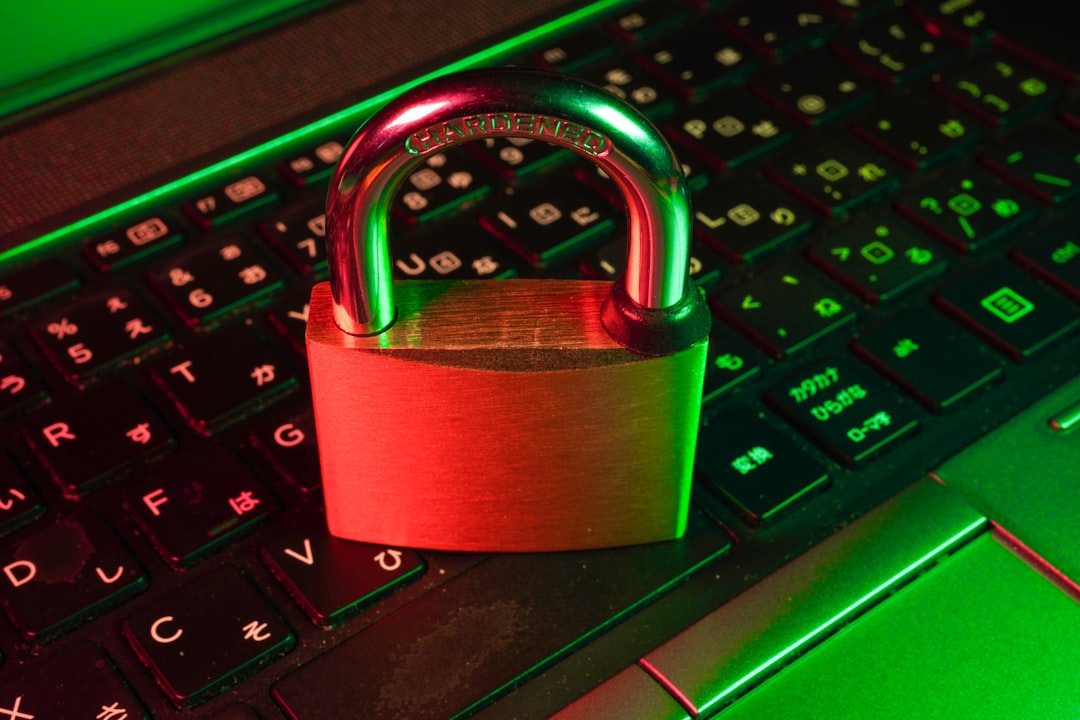
The internet offers seniors incredible opportunities to stay connected with family, manage finances, access healthcare, and enjoy entertainment. However, older adults are increasingly targeted by cybercriminals who exploit unfamiliarity with technology and trusting natures. Understanding how to navigate the online world safely is essential for enjoying the internet's benefits while avoiding its dangers.
Why Seniors Are Targeted by Cybercriminals
Seniors represent an attractive target for online scammers for several unfortunate reasons. Many older adults accumulated savings over their lifetimes, making them financially rewarding targets. Additionally, seniors who didn't grow up with digital technology may be less familiar with common online threats and warning signs.
Cybercriminals also exploit the generally trusting nature and politeness of older generations. Where younger people might quickly dismiss suspicious communications, seniors may be more willing to give strangers the benefit of the doubt. Scammers take advantage of this courtesy to build false relationships and extract money or information.
Social isolation can make seniors more vulnerable to scams. Criminals posing as friendly helpers, romantic interests, or technical support representatives fill social voids while manipulating victims. Understanding these targeting tactics is the first step in protecting yourself or older loved ones from online exploitation.
Getting Started with Internet Safety
If you're new to the internet or feeling overwhelmed by security concerns, start with the basics. You don't need to become a technology expert to use the internet safely – just understanding fundamental principles provides significant protection.
Begin by setting up your devices with security in mind. Use strong, unique passwords for each account – think of passwords as keys to your house. You wouldn't use the same key for your home, car, and safe. Password managers can help you create and remember complex passwords without writing them down.
Keep your devices updated with the latest security patches. Computers, tablets, and smartphones regularly receive updates that fix security vulnerabilities. Enable automatic updates when possible, or check weekly for available updates. These updates are like maintaining locks on your doors – essential for keeping threats out.
Install reputable antivirus software on all your devices. Think of this as a security guard that watches for threats and blocks them before they can cause harm. Many internet service providers offer free antivirus software to customers, or you can purchase well-reviewed commercial options.
Recognizing Common Scams Targeting Seniors
Understanding the most common scams targeting older adults helps you recognize and avoid them. The "grandparent scam" involves criminals calling and pretending to be a grandchild in urgent need of money due to an emergency. They often claim to be traveling, arrested, or in an accident and beg you not to tell their parents.
Romance scams target lonely seniors through dating websites or social media. Scammers create fake profiles, build emotional connections over weeks or months, then request money for fabricated emergencies. These criminals are expert manipulators who may communicate with dozens of victims simultaneously.
Tech support scams involve criminals calling and claiming to be from Microsoft, Apple, or your internet provider. They say your computer has a virus or security problem and offer to fix it – for a fee. Legitimate tech companies never call customers unsolicited about computer problems. These callers often request remote access to your computer, which allows them to install malware or steal information.
Investment scams promise unrealistic returns with little risk. Criminals may pose as financial advisors offering exclusive opportunities available only to select individuals. Remember that if an investment opportunity sounds too good to be true, it almost certainly is. Always consult with trusted financial advisors before making investment decisions.
Government impersonation scams involve criminals claiming to be from the IRS, Social Security Administration, or Medicare. They might threaten arrest, benefit suspension, or legal action unless you immediately pay supposed debts or provide personal information. Government agencies never demand immediate payment over the phone or threaten arrest for unpaid taxes.
Safe Online Banking and Shopping
Online banking and shopping offer convenience but require careful security practices. Start by accessing your bank's website only by typing the address directly into your browser, not by clicking links in emails. Bookmark your bank's website for easy access to the legitimate site.
Never share your online banking password with anyone, including family members or people claiming to be bank employees. Banks never ask for your complete password. Enable two-factor authentication on your banking accounts if available – this adds an extra security layer beyond just your password.
Monitor your accounts regularly for unauthorized transactions. Check your bank and credit card statements at least weekly, looking for unfamiliar charges. Report suspicious activity immediately – most financial institutions offer fraud protection, but quick reporting is essential for limiting losses.
When shopping online, use credit cards rather than debit cards when possible. Credit cards typically offer better fraud protection and don't provide direct access to your bank account. Look for "https://" in the website address and a padlock icon before entering payment information – these indicate secure connections.
Be cautious about storing payment information on shopping websites. While convenient, this creates risk if the retailer's database is breached. Consider entering your payment information manually for each purchase, or use secure payment services like PayPal that provide an additional security layer.
Email Safety and Avoiding Phishing
Email is a common attack vector for criminals targeting seniors. Learning to recognize suspicious emails protects you from phishing attempts designed to steal personal information or install malware on your device.
Be skeptical of unexpected emails, especially those requesting personal information or urgent action. Legitimate organizations rarely ask for sensitive information via email. If an email claims to be from your bank, credit card company, or government agency and requests information or immediate action, don't respond directly. Instead, contact the organization using phone numbers from their official website or statements.
Look carefully at sender addresses. Scammers often use email addresses that look similar to legitimate ones but contain slight variations. For example, an email might appear to come from "support@amaz0n.com" (with a zero instead of an 'o'). Hover your mouse over the sender's name to see the actual email address.
Never click links or open attachments in emails from unknown senders. Even emails from known senders should be viewed cautiously if they contain unexpected attachments or links. If you're unsure whether an email is legitimate, call the supposed sender using a phone number you find independently, not one provided in the email.
Be particularly wary of emails creating urgency or fear. Messages claiming your account will be closed, you'll face legal action, or you've missed an important delivery are common phishing tactics. Legitimate organizations give you reasonable time to respond to important matters and don't make threats via email.
Social Media Safety for Seniors
Social media helps seniors stay connected with family and friends, but these platforms also present privacy and security risks. Begin by adjusting your privacy settings to limit who can see your posts and personal information. Most platforms default to sharing more information than necessary, so take time to review and restrict these settings.
Be selective about friend requests and connection invitations. Accept only requests from people you know personally. Scammers create fake profiles using stolen photos and information to appear legitimate. If you receive a friend request from someone you're already connected with, this could indicate someone is impersonating them – contact your friend through other means to verify.
Think carefully before sharing personal information on social media. Details like your full birthday, home address, phone number, travel plans, and daily routine can be exploited by criminals. Even seemingly innocent information like your pet's name or where you went to high school might be used to guess security question answers.
Be cautious about online quizzes and surveys that request personal information. These often collect data for marketing purposes or worse. Questions about your first car, mother's maiden name, or street you grew up on are common security questions – sharing these answers publicly compromises your account security.
Never send money to people you've only met online, no matter how compelling their story or how strong your connection feels. Romance scammers are experts at emotional manipulation. Be especially suspicious if someone you met online quickly professes strong feelings and then asks for financial help.
Protecting Your Personal Information
Your personal information has significant value to identity thieves. Protecting details like your Social Security number, Medicare number, financial account information, and passwords is essential for preventing identity theft and fraud.
Never give your Social Security number to someone who contacts you unsolicited. Legitimate organizations that need this information already have it or will request it through secure channels. The same applies to your Medicare number – be extremely protective of this information as Medicare fraud is rampant.
Shred documents containing personal information before disposing of them. Old bank statements, credit card offers, medical records, and tax documents should all be shredded. Consider investing in a cross-cut shredder for home use.
Be cautious when using public Wi-Fi networks at libraries, cafes, or other public places. These networks are often unsecured, making it easier for criminals to intercept your internet traffic. Avoid accessing banking or other sensitive accounts on public Wi-Fi. If you must use public networks, consider using a Virtual Private Network (VPN) for added security.
Review your credit reports regularly to catch identity theft early. You're entitled to free annual credit reports from each of the three major credit bureaus. Stagger your requests throughout the year – request one report every four months – to maintain year-round monitoring. Look for unfamiliar accounts or inquiries that might indicate fraud.
Safe Video Calling and Communication
Video calling platforms like Zoom, Skype, and FaceTime help seniors maintain face-to-face connections with distant family and friends. However, these tools also require security awareness to prevent unwanted access or eavesdropping.
Use passwords to protect video calls, especially for recurring meetings or calls with sensitive discussions. Many platforms offer password protection or waiting room features that let you control who joins your calls. Enable these features to prevent uninvited guests from accessing your conversations.
Be careful about sharing meeting links publicly. Posting video call links on social media or other public forums allows anyone to join your call. Share links only with intended participants through private messages or email.
Familiarize yourself with your video platform's privacy settings and features. Learn how to mute/unmute your microphone, turn your camera on/off, and end calls. Knowing these basic functions helps you maintain control over your digital presence and privacy.
Be aware of your surroundings during video calls. Consider what's visible in your camera frame – you might inadvertently reveal valuable items, security systems, or other information that could compromise your home security. Use virtual backgrounds if your platform supports them, or position your camera to show only neutral backgrounds.
Medical and Healthcare Safety Online
Telemedicine and online healthcare resources are increasingly important for seniors, but they require special security considerations given the sensitivity of medical information.
Use only official healthcare provider websites and apps for accessing medical information or scheduling appointments. Verify that you're using legitimate platforms by getting links directly from your healthcare provider's office, not from search engines or emails.
Protect your medical information as carefully as financial data. Medicare and health insurance numbers are valuable to identity thieves who use them to file fraudulent claims. Never share this information with unsolicited callers, even if they claim to be offering free medical equipment or services.
Be cautious about health-related emails and advertisements. Scammers prey on health anxieties, offering miracle cures, fake medications, or fraudulent medical advice. Consult your healthcare provider about any health concerns rather than trusting online advertisements or unsolicited advice.
When researching health conditions online, use reputable sources like established medical institutions, government health websites, or recognized patient advocacy organizations. Be skeptical of dramatic claims or treatments that promise results without evidence or medical supervision.
Creating a Personal Safety Plan
Develop a written personal internet safety plan that you can refer to when uncertain about online situations. This plan should include trusted contacts you can reach out to with questions or concerns about suspicious communications or requests.
Establish a verification system with family members for any unusual requests. If you receive a call or message from someone claiming to be a grandchild or other family member requesting money urgently, hang up and call that person directly using a number you already have. Create a family code word that only close relatives know for verifying identity in emergencies.
Keep a list of important phone numbers and websites in a safe place, not just stored in your devices. Include customer service numbers for your bank, credit card companies, internet provider, and other important services. Having this information readily available helps you quickly verify suspicious communications.
Consider taking a computer or internet safety class specifically designed for seniors. Many community centers, libraries, and senior organizations offer these courses. Learning alongside peers in a supportive environment can build confidence and provide opportunities to ask questions.
Getting Help and Staying Informed
Don't hesitate to ask for help from trusted family members, friends, or professionals when you have questions about internet safety. Admitting uncertainty is smart, not a sign of weakness. Most people are happy to help explain confusing technology or verify suspicious communications.
Be wary of unsolicited offers of help with your computer or devices. While many people genuinely want to assist, criminals also pose as helpful technicians or family friends to gain access to your devices and information. Accept technical help only from people you know well and trust completely, or from established businesses with verifiable credentials.
Stay informed about current scams and threats. The AARP, Federal Trade Commission (FTC), and FBI regularly publish information about scams targeting seniors. Following these trusted sources helps you recognize new threats as they emerge.
Join online or in-person communities focused on senior technology use and safety. Sharing experiences and concerns with peers provides valuable learning opportunities and reassurance that you're not alone in facing these challenges.
Conclusion
Internet safety for seniors isn't about avoiding technology or living in fear – it's about using the internet confidently while protecting yourself from those who would take advantage. The online world offers incredible benefits for staying connected, informed, and independent, and you deserve to enjoy these advantages safely.
Remember that staying safe online is an ongoing process, not a one-time accomplishment. Technology and threats constantly evolve, requiring continued learning and adaptation. However, the fundamental principles – skepticism toward unsolicited requests, protection of personal information, and willingness to verify before trusting – remain constant.
Trust your instincts. If something feels wrong or too good to be true, take time to verify before proceeding. It's always better to be cautious and ask questions than to rush into situations you later regret. With awareness, basic precautions, and access to trusted help, you can enjoy all the internet has to offer while keeping yourself safe from online threats.